
SOC Analyst Projects for Beginners
SOC Analyst projects for beginners include log analysis with Splunk, SIEM dashboard monitoring, phishing email investigation, malware detection, and MITRE ATT&CK mapping. These hands-on projects teach real-world blue team skills, help build a cybersecurity portfolio, and prepare beginners for SOC Analyst interviews and entry-level security operations center roles.
Introduction
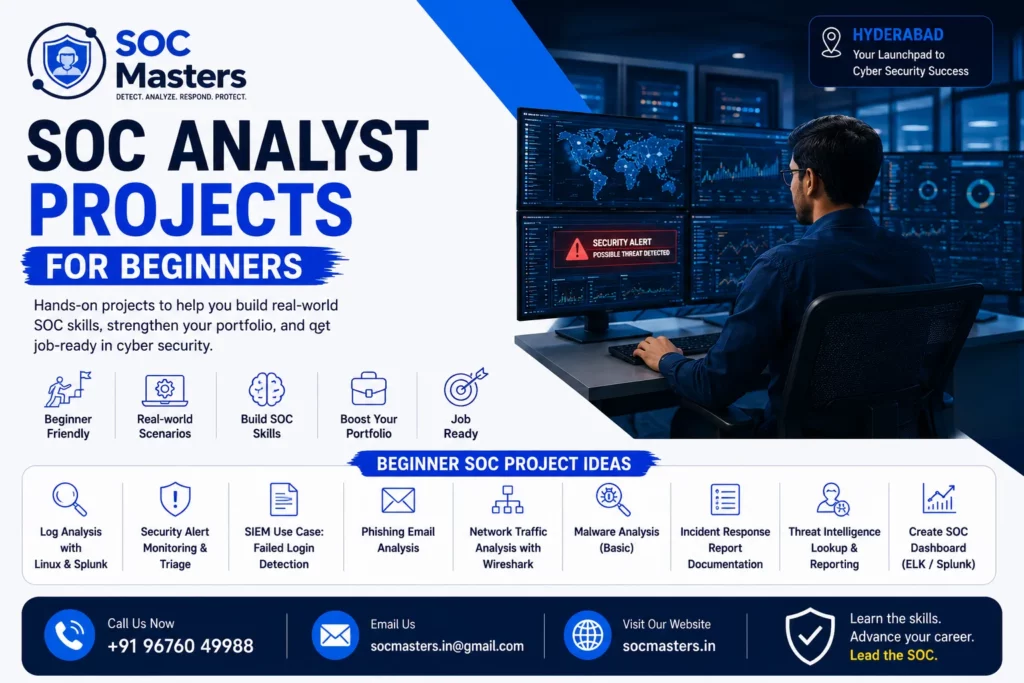
Breaking into a Security Operations Center (SOC) role is rarely about memorizing definitions — it's about proving you can actually detect, investigate, and respond to threats. That's exactly why SOC Analyst projects for beginners have become the fastest way to stand out in a crowded cybersecurity job market.
A SOC Analyst is the frontline defender of an organization's digital infrastructure. They monitor security alerts, investigate suspicious activity, analyze logs, and respond to incidents before they escalate into breaches. It's a role that blends technical skill with sharp analytical thinking — and it's one of the most in-demand entry points into cybersecurity today.
But here's the problem most beginners face: certifications alone don't prove you can do the job. Recruiters and hiring managers increasingly want to see practical, hands-on evidence — real projects, real logs, real investigations. That's where beginner-friendly SOC projects come in.
Building SOC Analyst projects for beginners helps you:
- Understand how real security tools like Splunk, Wazuh, and Microsoft Sentinel actually work
- Practice detecting brute-force attacks, phishing attempts, and malware in a safe lab environment
- Develop the analytical mindset needed to triage alerts and write incident reports
- Create a GitHub portfolio that demonstrates practical skills to recruiters
- Gain confidence walking into SOC Analyst interviews with real examples to discuss
In this guide, you'll find 15+ SOC Analyst projects for beginners, a complete learning roadmap, tool comparisons, home lab setup instructions, and interview tips — everything you need to go from "aspiring analyst" to "job-ready candidate." If you'd rather follow a structured, mentor-led path, see our SOC Analyst training in Hyderabad.
Enroll for Free DemoWhat Is a SOC Analyst?
A Security Operations Center (SOC) Analyst is a cybersecurity professional responsible for monitoring, detecting, investigating, and responding to security threats within an organization's network. SOC Analysts typically work in tiers:
- Tier 1 (Triage Analyst): Monitors alerts, performs initial investigation, and escalates confirmed incidents.
- Tier 2 (Incident Responder): Conducts deeper investigation, correlates data across sources, and contains threats.
- Tier 3 (Threat Hunter): Proactively searches for hidden threats and fine-tunes detection rules.
Daily responsibilities usually include reviewing SIEM alerts, analyzing logs from firewalls and endpoints, investigating phishing reports, tracking indicators of compromise (IOCs), and documenting incidents for compliance and reporting purposes.
Because the role is so hands-on, employers value candidates who can demonstrate practical SOC Analyst practical projects rather than just theoretical knowledge from a course.
Why SOC Analyst Projects Are Important for Beginners
Cybersecurity is a skills-based field. Certifications like CompTIA Security+ or SC-200 validate knowledge, but they don't show an employer how you think under pressure or how you'd actually triage a real alert.
Here's why beginner cyber security projects matter so much:
- They simulate real SOC workflows. Investigating a simulated phishing email or brute-force attack mirrors what you'll do on day one of the job.
- They build tool fluency. Reading about Splunk is different from actually writing a search query to find failed login attempts.
- They create talking points for interviews. "I built a home lab and detected a simulated brute-force attack using Wazuh" is far more compelling than "I studied SIEM concepts."
- They demonstrate initiative. Completing self-directed SOC Analyst home lab projects shows recruiters you're proactive, not just credentialed.
- They close the experience gap. Most entry-level postings ask for "1-2 years experience." Projects help bridge that gap when you don't have prior SOC employment.
SOC Analyst Projects for Beginners
The best way to approach SOC Analyst projects for beginners is to progress from foundational log analysis to more advanced threat detection and incident response simulations. Below is a structured breakdown of projects grouped by skill area, followed by detailed walkthroughs of the most valuable ones.
Beginners should aim to complete a mix of:
- Log and SIEM-based monitoring projects
- Network traffic analysis projects
- Threat intelligence and malware analysis projects
- Incident response simulation projects
- Framework-based projects (like MITRE ATT&CK mapping)
Each category builds a different muscle — and together, they form a well-rounded cybersecurity projects portfolio.
Beginner-Level SOC Projects to Build Practical Skills
Before diving into detailed walkthroughs, here's a quick overview of the skill-building philosophy behind these projects. Beginner-level projects should:
- Use free or open-source tools (no budget required)
- Be completable in a home lab or virtual machine
- Focus on one core skill at a time (log parsing, alert triage, packet analysis, etc.)
- Produce a documented output — a report, dashboard, or writeup you can showcase
With that foundation, let's walk through the core projects.
Enroll for Free DemoLog Analysis Project Using Splunk
Splunk is one of the most widely used SIEM platforms in enterprise SOCs, making it a must-learn tool.
Project idea: Ingest sample log data (Windows Event Logs or Apache/Linux logs) into Splunk's free trial or Splunk Free tier, then write Search Processing Language (SPL) queries to identify failed logins, unusual account activity, or spikes in traffic.
What you'll learn:
- Writing SPL queries
- Building simple visualizations and dashboards
- Filtering noise from genuine security events
Beginner tip: Use publicly available sample datasets (like the Splunk Boss of the SOC datasets) to practice without needing your own infrastructure.
Chat on WhatsAppSIEM Dashboard Monitoring Project
A SIEM (Security Information and Event Management) dashboard is the SOC Analyst's command center. This project teaches you to build and interpret one.
Project idea: Using Wazuh, Microsoft Sentinel's free trial, or the ELK Stack, configure a dashboard that visualizes login attempts, alert severity levels, and top source IPs generating traffic.
What you'll learn:
- Correlating multiple log sources into one view
- Prioritizing alerts by severity
- Understanding false positives vs. true positives
This is one of the most valuable SIEM projects because dashboard fluency is tested in nearly every SOC Analyst interview.
Windows Event Log Investigation Project
Windows environments dominate enterprise networks, so understanding Windows Event Viewer logs is essential.
Project idea: Simulate a suspicious login (or use sample Event Log exports) and investigate Event IDs such as 4624 (successful logon), 4625 (failed logon), and 4688 (process creation) to reconstruct a timeline of activity.
What you'll learn:
- Reading and filtering Windows Event Logs
- Recognizing brute-force login patterns
- Correlating logon events with process creation events
Linux Log Monitoring Project
Many servers and cloud environments run on Linux, so log analysis skills here are equally critical.
Project idea: Set up a Linux VM and review /var/log/auth.log or /var/log/secure for SSH brute-force attempts. Use grep, awk, and basic shell scripting to extract failed login patterns.
What you'll learn:
- Linux command-line log parsing
- Identifying repeated failed SSH attempts
- Writing simple detection scripts
Phishing Email Investigation Project
Phishing remains the top initial access vector for attackers, making phishing email investigation projects a core SOC skill.
Project idea: Collect (or use sample) phishing emails, analyze headers for spoofed sender domains, extract URLs and attachments, and check indicators against VirusTotal.
What you'll learn:
- Email header analysis
- Identifying spoofing and social engineering tactics
- Using threat intelligence tools to validate malicious indicators
Deliverable: Write a short incident report summarizing your findings — this becomes a strong portfolio piece.
Chat on WhatsAppMalware Detection and Analysis Project
Basic malware analysis skills help SOC Analysts understand what they're defending against.
Project idea: Use a safe, isolated sandbox environment to analyze a known-safe sample file's static properties (hashes, strings) and cross-reference them with VirusTotal or a malware sandbox report.
What you'll learn:
- Static analysis fundamentals
- Hash-based threat identification
- Reading sandbox analysis reports
Important: Always use isolated, non-production environments and pre-vetted educational samples when working with malware analysis projects.
Enroll for Free DemoThreat Intelligence Project Using Open-Source Feeds
Threat hunting projects often start with threat intelligence — understanding known bad indicators before they hit your network.
Project idea: Use MISP (Malware Information Sharing Platform) or open-source threat feeds to track a set of IOCs (IPs, hashes, domains) and build a simple watchlist.
What you'll learn:
- Working with threat intelligence platforms
- Understanding IOC lifecycle
- Correlating external intel with internal log data
Incident Response Mini Project
Detection is only half the job — response is the other half.
Project idea: Simulate a small incident (e.g., a compromised test account) and write a full incident response report following the standard lifecycle: Identification, Containment, Eradication, Recovery, and Lessons Learned.
What you'll learn:
- Incident response methodology
- Documentation and reporting skills
- Prioritizing containment actions
This is one of the most impressive incident response projects to showcase because it demonstrates end-to-end thinking, not just detection.
Brute Force Attack Detection Project
Brute-force detection is a classic, high-value beginner project because it's easy to simulate and easy to explain in interviews.
Project idea: Use a test VM and a tool like Hydra (in a fully isolated lab) to simulate repeated failed login attempts, then detect and alert on the pattern using Wazuh or Splunk.
What you'll learn:
- Recognizing brute-force patterns in logs
- Building detection rules/alerts
- Rate-based anomaly detection concepts
Firewall Log Analysis Project
Firewalls generate massive volumes of log data — learning to filter signal from noise is a core SOC skill.
Project idea: Analyze sample firewall logs (pfSense, iptables, or vendor sample datasets) to identify blocked connection spikes, port scanning attempts, and unusual outbound traffic.
What you'll learn:
- Interpreting allow/deny firewall rules
- Spotting reconnaissance activity (port scans)
- Correlating firewall data with other log sources
Network Traffic Analysis Using Wireshark
Packet-level analysis is a foundational blue team skill, and Wireshark is the industry-standard tool for it.
Project idea: Capture sample network traffic (or use publicly available PCAP files) and identify suspicious patterns such as unencrypted credential transmission, DNS tunneling, or unusual protocol usage.
What you'll learn:
- Reading packet captures
- Identifying protocol anomalies
- Filtering traffic using Wireshark display filters
MITRE ATT&CK Mapping Project
The MITRE ATT&CK Framework is the industry standard for classifying adversary tactics and techniques — and SOC teams increasingly expect analysts to think in these terms.
Project idea: Take a past simulated project (like your brute-force or phishing investigation) and map the observed behavior to specific MITRE ATT&CK tactics and techniques (e.g., T1110 Brute Force, T1566 Phishing).
What you'll learn:
- Structuring investigations around a recognized framework
- Communicating findings in industry-standard terminology
- Thinking like an adversary to anticipate next steps
This project is especially valuable because it ties all your other projects together into a cohesive, framework-aligned portfolio.
SOC Analyst Home Lab Projects
A home lab is where all of the above projects come together. Here's how to build a functional SOC Analyst home lab on a budget:
Recommended setup:
- Virtualization software: VirtualBox or VMware Workstation Player (free)
- Attacker VM: Kali Linux (for generating test traffic/attacks)
- Victim/target VM: Windows 10/11 evaluation ISO or a Linux server VM
- SIEM/monitoring: Wazuh (free, open-source) or Security Onion
- Network isolation: Configure a host-only or internal network so lab traffic never touches your real network
Suggested home lab workflow:
- Install Sysmon on your Windows VM for enhanced logging
- Forward logs to Wazuh or the ELK Stack
- Use Kali Linux to simulate benign test attacks (brute force, port scans)
- Investigate the resulting alerts and document your findings
A well-documented home lab, complete with screenshots and writeups, is one of the single most powerful additions to a beginner's cybersecurity projects portfolio.
Real-Time SOC Analyst Projects
Once you're comfortable with isolated lab exercises, consider these more advanced, "real-time" style projects that mimic live SOC operations:
- Continuous monitoring simulation: Run your home lab SIEM continuously for a week and triage whatever alerts naturally occur (including false positives) — this builds real alert-fatigue management skills.
- Threat hunting exercise: Instead of waiting for alerts, proactively search your log data for anomalies using hypothesis-driven queries.
- Purple team exercise: Pair a simulated attack (using Kali Linux) with real-time detection and response in Wazuh or Sentinel, then document detection gaps.
These real-time SOC Analyst projects most closely resemble what Tier 1 and Tier 2 analysts actually do day-to-day.
GitHub Projects for SOC Analyst Beginners
Your GitHub profile should function as a cybersecurity portfolio, not just a code repository. For SOC-focused roles, include:
- Markdown writeups of each investigation (with screenshots, redacted where necessary)
- Sample SPL/KQL queries you wrote for detection
- Scripts used for log parsing or automation (Python/PowerShell)
- A dedicated "Home Lab" repository documenting your setup and findings
- A README that summarizes your skills, tools used, and key projects
Recruiters often skim GitHub profiles quickly — a clean, well-organized repo with clear documentation makes a stronger impression than a large but disorganized one.
Common Mistakes Beginners Make While Working on SOC Projects
- Skipping documentation. A project without a writeup has no proof value — always document your process and findings.
- Using production or personal networks for attack simulations. Always isolate lab environments.
- Focusing only on detection, not response. Employers want to see you can also contain and remediate.
- Copying tutorials without understanding them. Recreate projects, but be ready to explain every step in your own words.
- Ignoring false positives. Real SOC work is mostly noise — learning to triage false positives is as important as catching true threats.
- Not mapping projects to frameworks like MITRE ATT&CK. This makes your work harder for interviewers to contextualize.
- Overcomplicating the first project. Start simple (log analysis) before attempting full incident response simulations.
Top 10 SOC Analyst Projects Every Beginner Should Build
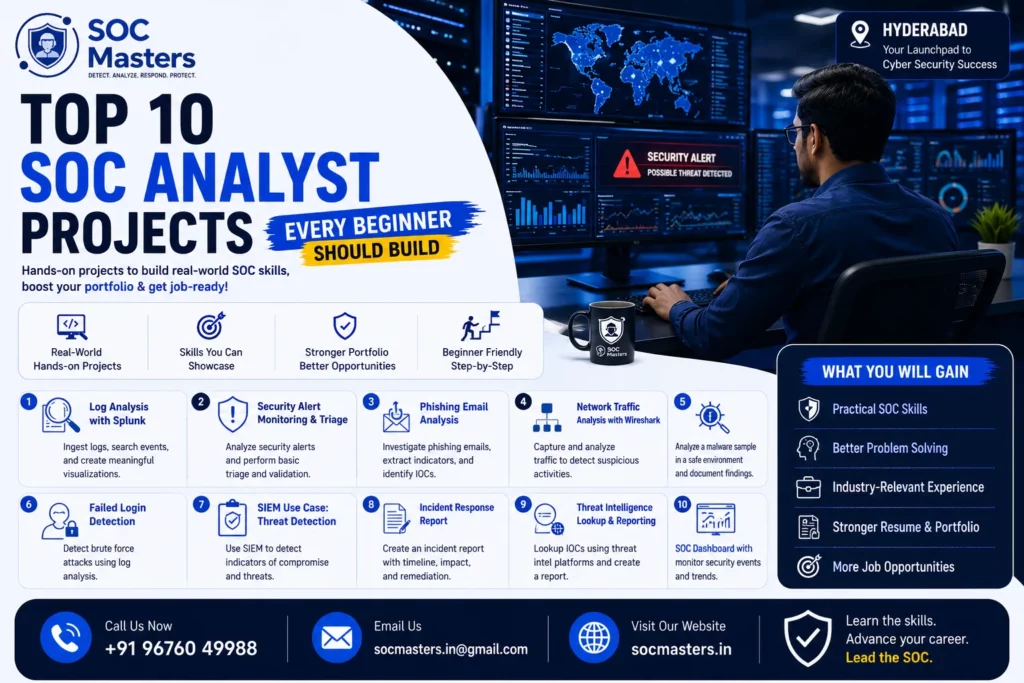
- Log Analysis Project Using Splunk
- SIEM Dashboard Monitoring Project (Wazuh/Sentinel)
- Windows Event Log Investigation
- Linux SSH Brute-Force Detection
- Phishing Email Investigation
- Basic Malware Static Analysis
- Threat Intelligence Watchlist (MISP)
- Incident Response Mini Project
- Network Traffic Analysis with Wireshark
- MITRE ATT&CK Mapping of a Prior Project
Once you've worked through the free resources, you can benchmark your progress against our SOC Analyst learning roadmap to see what comes next.
Free Resources to Practice SOC Analyst Projects
- Splunk Boss of the SOC (BOTS) datasets — free sample data for SIEM practice
- Wazuh documentation and free platform — open-source SIEM/XDR
- Security Onion — free, pre-built network security monitoring distribution
- MalwareBazaar / VirusTotal — safe, educational sample and hash lookups
- MITRE ATT&CK Navigator — free framework mapping tool
- TryHackMe and LetsDefend — guided, beginner-friendly SOC simulation platforms
- CyberDefenders — free blue team challenges using real-world scenarios
How to Build a SOC Analyst Home Lab
Building a home lab doesn't require expensive hardware. A laptop with at least 16GB RAM can comfortably run 2-3 virtual machines. Steps:
- Install a hypervisor (VirtualBox is free and beginner-friendly)
- Set up an isolated internal network
- Deploy a Windows and Linux VM
- Install Sysmon and configure log forwarding
- Deploy Wazuh (or the ELK Stack) as your central SIEM
- Practice generating and investigating alerts regularly
Document every stage — screenshots of your network diagram, configuration steps, and sample alerts all strengthen your portfolio. For a deeper look at how enterprise SOCs structure their monitoring stack, see our guide on SIEM architecture.
SOC Analyst Portfolio Tips
- Organize projects by category (log analysis, incident response, threat intel)
- Include a summary table of tools and skills used per project
- Use consistent formatting across all writeups
- Redact sensitive or personally identifiable information from any real data
- Keep a "highlights" project pinned at the top of your GitHub or portfolio site
How to Showcase Projects During Interviews
- Walk through one project start to finish — from detection to resolution
- Explain your reasoning at each step, not just the outcome
- Mention specific tools, queries, or commands you used
- Relate your project to a MITRE ATT&CK technique when possible
- Be ready to discuss what you'd do differently in a real enterprise environment
Interviewers often care more about your thought process than a "perfect" outcome — walk them through how you triaged ambiguity. For the kinds of questions you're likely to face, check our list of SOC Analyst interview questions.
Skills You Will Gain From These Projects
- SIEM configuration and query writing (Splunk, Sentinel, Wazuh)
- Log analysis across Windows, Linux, and network devices
- Packet analysis using Wireshark
- Threat intelligence research and IOC correlation
- Incident response documentation
- Framework-based thinking using MITRE ATT&CK
- Communication and reporting skills for technical findings
Career Opportunities After Completing SOC Analyst Projects
Completing a strong portfolio of SOC Analyst practical projects can open doors to roles such as:
- SOC Analyst (Tier 1/Tier 2)
- Security Operations Intern
- Junior Threat Hunter
- Incident Response Associate
- Cybersecurity Support Analyst
- Remote SOC Analyst (increasingly common with distributed SOC teams)
To see how these roles progress over time and what each stage typically pays, check our SOC Analyst career roadmap and SOC Analyst salary guide for India.
Explain the Importance of Learning These Tools
Understanding the core toolset is just as important as the projects themselves:
- Splunk: Industry-leading SIEM used for log aggregation, search, and visualization across enterprises.
- Microsoft Sentinel: Cloud-native SIEM/SOAR platform widely adopted by organizations using Azure.
- Wazuh: Free, open-source SIEM/XDR platform — ideal for home labs and budget-conscious learners.
- ELK Stack (Elasticsearch, Logstash, Kibana): Flexible open-source log management and visualization stack.
- QRadar: IBM's enterprise SIEM, common in large regulated industries like finance and healthcare.
- Wireshark: The standard tool for deep packet inspection and network traffic analysis.
- Sysmon: Microsoft's system monitoring tool that dramatically improves Windows logging visibility.
- Kali Linux: A penetration testing distribution useful for safely simulating attacks in a lab.
- Windows Event Viewer: Built-in Windows tool for reviewing system, security, and application logs.
- VirusTotal: Free tool for checking files, hashes, and URLs against multiple antivirus engines.
- MISP: Open-source threat intelligence sharing platform used to track and correlate IOCs.
- MITRE ATT&CK Framework: The industry-standard knowledge base of adversary tactics and techniques.
- CyberChef: A browser-based "cyber Swiss army knife" for data decoding, encoding, and analysis.
- Security Onion: A free Linux distro purpose-built for network security monitoring and threat hunting.
Fluency across this toolset — even at a beginner level — signals to employers that you understand the real SOC technology stack, not just theory. For a more detailed breakdown of each platform's strengths, see our guide to the best SIEM tools for SOC Analysts.
Industry Insights
Why recruiters prefer project-based candidates: Certifications prove you studied; projects prove you can perform. Recruiters increasingly use project portfolios as a filtering signal, especially for entry-level roles where formal work experience is limited.
Importance of GitHub portfolios: A well-documented GitHub profile acts as a live resume. It lets hiring managers verify your skills before ever speaking with you, often influencing whether you get shortlisted for an interview.
Hands-on experience vs. certifications: Certifications remain valuable for passing initial resume screens (especially with ATS systems), but hands-on projects are what differentiate candidates during interviews and technical assessments.
Growing demand for SOC Analysts in India: India's cybersecurity sector has seen sustained growth in SOC hiring, driven by the expansion of Global Capability Centers (GCCs), managed security service providers (MSSPs), and increasing regulatory requirements around data protection.
Remote cybersecurity job opportunities: Many SOC roles — particularly Tier 1 monitoring positions — are increasingly offered remotely or in hybrid formats, especially at MSSPs and global companies with distributed security teams. This expands opportunities for beginners regardless of location.
SOC Analyst Projects Table
SOC Analyst Learning Roadmap Table
Tool Comparison Table
Key Takeaways
- Hands-on SOC Analyst projects for beginners matter more to employers than certifications alone — they prove you can actually perform SOC tasks.
- Start with foundational projects like log analysis and SIEM dashboards before progressing to incident response and threat hunting simulations.
- A well-documented home lab using free tools like Wazuh, Sysmon, and VirtualBox is one of the highest-value additions to your portfolio.
- Map your projects to the MITRE ATT&CK framework to demonstrate structured, industry-aligned thinking.
- Showcase your work on GitHub with clear writeups — recruiters and interviewers actively look for this kind of practical evidence.
Conclusion
Landing your first SOC Analyst role isn't just about passing an exam — it's about proving, through real work, that you can think and act like an analyst. The SOC Analyst projects for beginners covered in this guide — from log analysis and SIEM dashboards to phishing investigations and MITRE ATT&CK mapping — give you a practical, structured path to build exactly that proof.
Start small, document everything, and steadily build toward a complete home lab and portfolio. Every project you complete and publish brings you one step closer to walking into a SOC Analyst interview with confidence — not just knowledge, but demonstrated, hands-on skill. Start building today, and let your portfolio do the talking.
If you're ready to move beyond self-paced projects, explore our SOC Analyst training program in Hyderabad for structured, mentor-led labs, live capstone projects, and placement support.
Frequently Asked Questions
1. What are the best SOC Analyst projects for beginners?
The best beginner projects include log analysis using Splunk, SIEM dashboard monitoring with Wazuh, Windows Event Log investigation, phishing email analysis, and brute-force attack detection. These cover the core skills used daily by Tier 1 SOC Analysts.
2. Do I need paid tools to build SOC Analyst projects?
No. Most SOC Analyst practical projects can be completed using free tools like Wazuh, Security Onion, Wireshark, CyberChef, and Splunk's free tier, along with free virtualization software like VirtualBox.
3. How long does it take to complete a SOC Analyst home lab?
A basic home lab setup typically takes 8-12 hours to build and configure, though ongoing practice and investigation exercises should continue for several weeks to build real proficiency.
4. Are SOC Analyst projects enough to get a job without a degree?
While a degree can help with initial resume screening, a strong portfolio of hands-on projects combined with a relevant certification (like Security+) significantly improves your chances for entry-level SOC roles, especially at MSSPs.
5. What is the difference between a SOC Analyst project and a CTF challenge?
SOC Analyst projects simulate real monitoring and investigation workflows (log analysis, alert triage, incident response), while CTF (Capture the Flag) challenges are typically puzzle-based exercises focused on offensive or exploitation skills.
6. Which SIEM tool should beginners learn first?
Wazuh is often recommended first because it's free, open-source, and beginner-friendly. Once comfortable, learners can explore Splunk or Microsoft Sentinel, which are more commonly used in enterprise environments.
7. How do I showcase SOC Analyst projects on my resume?
List each project with the tools used, the skill demonstrated, and a link to a documented writeup (ideally on GitHub). Focus on outcomes — for example, "Detected and documented a simulated brute-force attack using Wazuh."
8. What is MITRE ATT&CK and why does it matter for SOC projects?
MITRE ATT&CK is a globally recognized framework that categorizes adversary tactics and techniques. Mapping your projects to it shows employers you understand how to contextualize threats using industry-standard terminology.
9. Can I build SOC Analyst projects without any prior IT experience?
Yes, but a basic understanding of networking and operating systems fundamentals will make the learning curve smoother. Many learners start with beginner cyber security projects like log analysis before moving into more complex simulations.
10. Are remote SOC Analyst jobs common for beginners?
Yes. Many MSSPs and global companies offer remote or hybrid Tier 1 SOC Analyst positions, particularly for monitoring and alert triage roles, making location less of a barrier than in the past.